ReplacingMergeTree
My favorite ClickHouse table engine is ReplacingMergeTree. The main reason is that it is similar to MergeTree but can automatically deduplicate based on columns in the ORDER BY clause, which is very useful.
Data duplication is a common issue within a data platform, even from upstream data sources or retrying data loads from previous runs. Duplications can be annoying.
Basic Syntax
CREATE TABLE events_replacing
(
    `event_time` DateTime,
    `event_date` Date DEFAULT toDate(event_time),
    `user_id` UInt32,
    `event_type` String,
    `value` String
)
ENGINE = ReplacingMergeTree(event_time)
PARTITION BY toYYYYMM(event_date)
ORDER BY (user_id, event_type, event_time)
The most important part of the ReplacingMergeTree engine definition is the ORDER BY expression, which serves as the unique key for the table. ClickHouse does not reject non-unique values, instead ReplacingMergeTree de-duplicates them when merging and keeps only the last based on the event_time column.
If you omit the event_time in the engine parameters, ClickHouse will keep the newer row:
CREATE TABLE events_replacing ( ... )
ENGINE = ReplacingMergeTree
...
ORDER BY (user_id, event_type, event_time)
Data Insert
INSERT INTO events_replacing (user_id, event_type, event_time, value)
VALUES (111, 'click', '2024-06-01 00:00:00', '/home');

2 rows in set. Elapsed: 0.619 sec.

INSERT INTO events_replacing (user_id, event_type, event_time, value)
VALUES (111, 'click', '2024-06-01 00:00:00', '/blog');

2 rows in set. Elapsed: 0.619 sec.
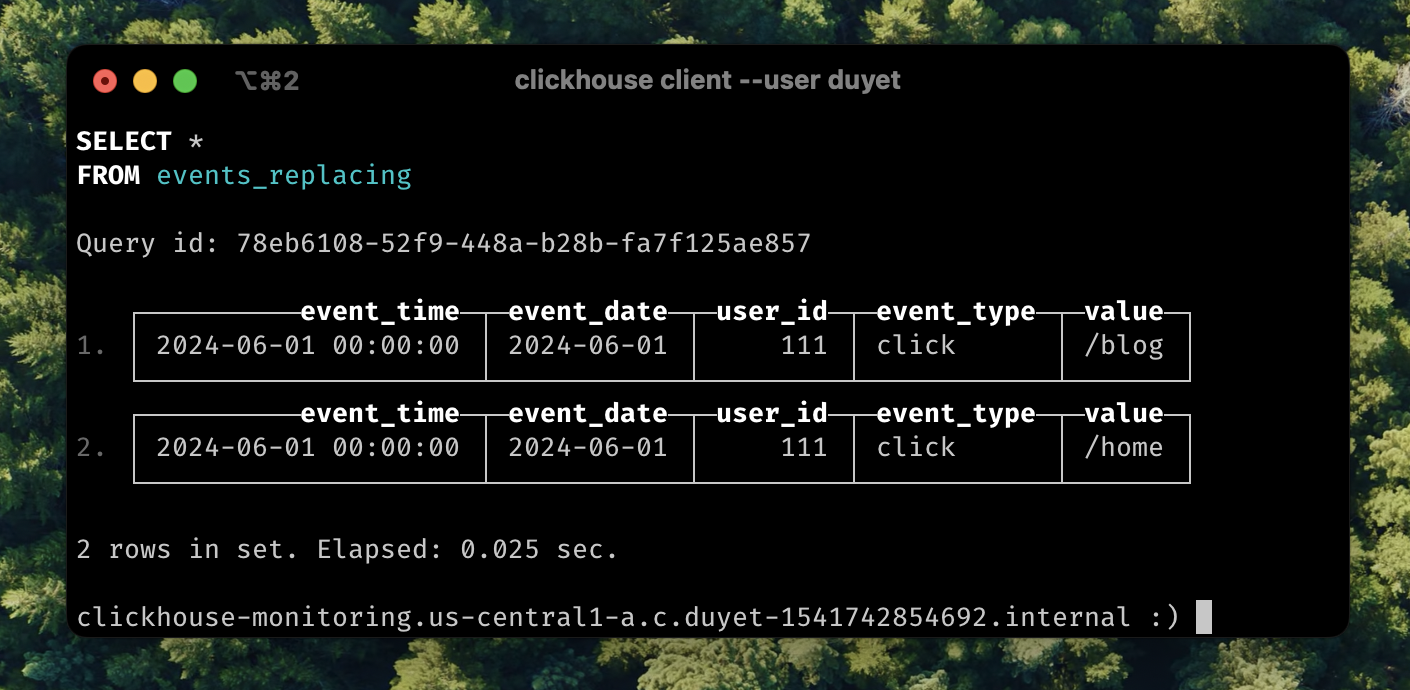
Two separate inserts create two parts. Let's wait until they are merged after a while. We can also add FINAL after the table name to force the merge and return the latest result.
SELECT * FROM events_replacing FINAL
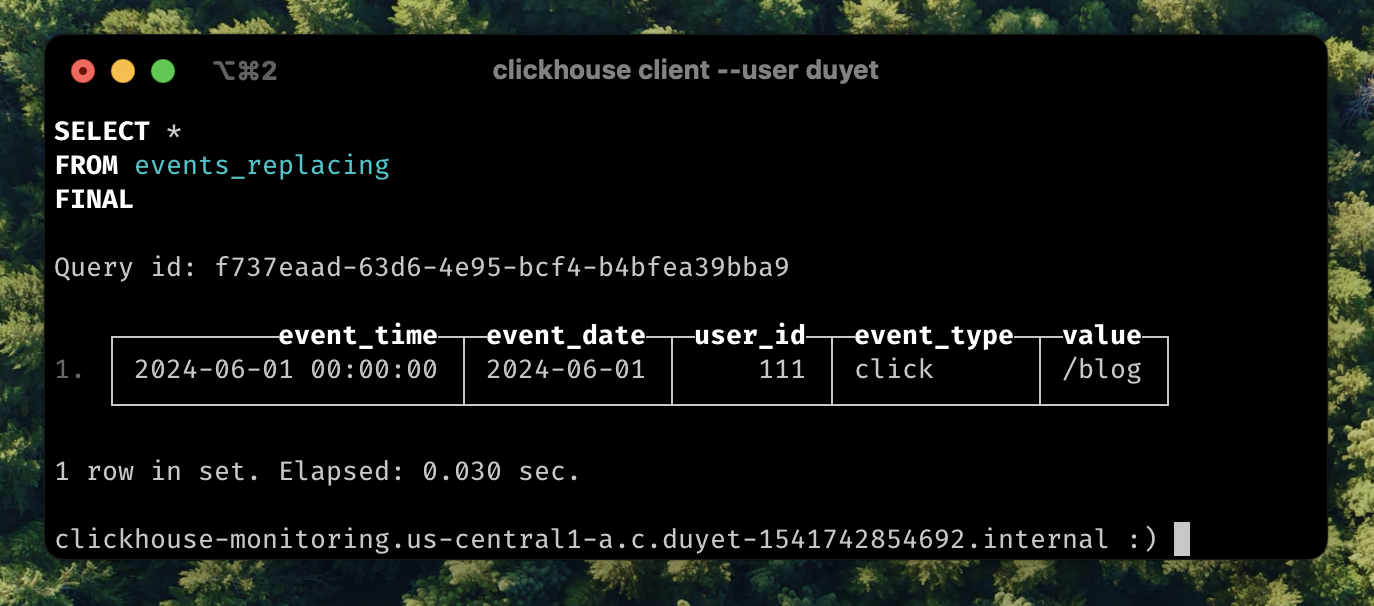
In this scenario, we can also see that ReplacingMergeTree can help with UPSERT operations based on a unique key, which is quite common when inserting or updating in place to replace old values.
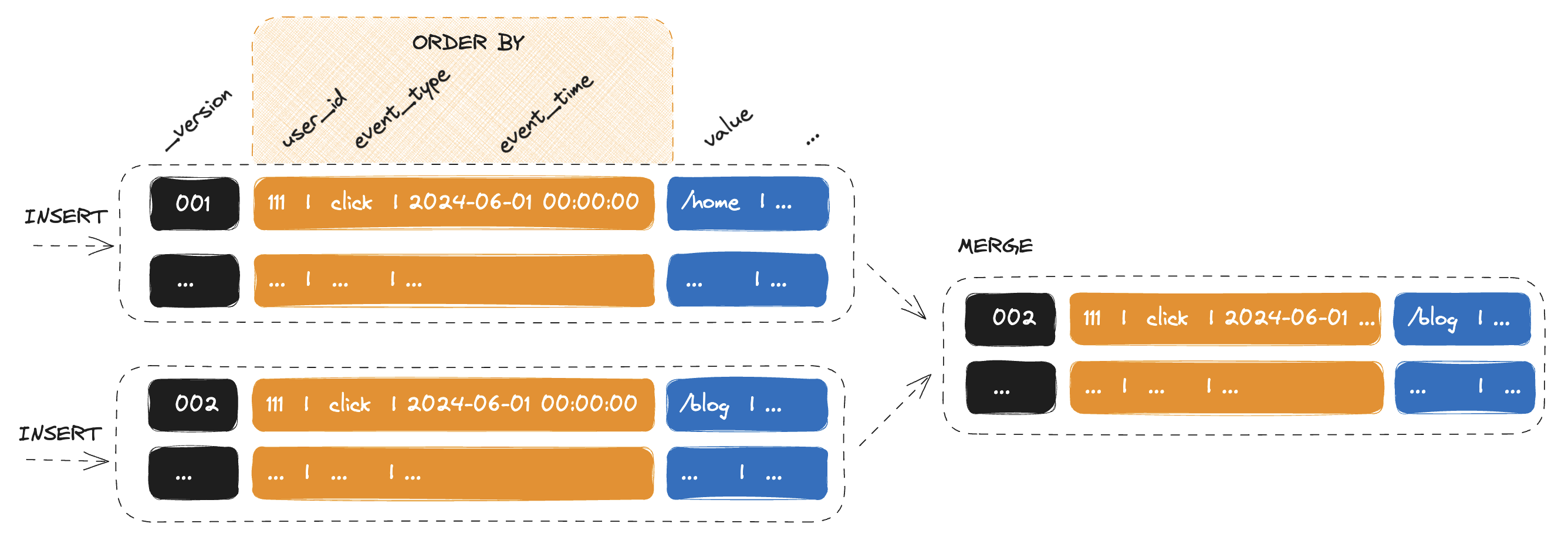
OPTIMIZE FINAL
OPTIMIZE FINAL forces the merge and also directs ClickHouse to merge all parts within one partition into a single part. If you have a batch loading ETL process, you can trigger this after the data loading is complete to obtain only the latest data.
-- INSERT INTO events_replacing ...
-- INSERT INTO events_replacing ...
-- INSERT INTO events_replacing ...

OPTIMIZE TABLE events_replacing FINAL
SELECT FINAL
As I mentioned above, the FINAL modifier for SELECT statements applies the replacing logic at query time. However, this can potentially take longer and run out of memory because it needs to merge before returning the data.
In the latest version of ClickHouse, assuming we can PARTITION KEY on the table, we can use the setting do_not_merge_across_partitions_select_final=1 to improve the performance of FINAL queries. This setting ensures that only current partitions are merged and processed independently.
SELECT * FROM events_replacing FINAL
SETTINGS do_not_merge_across_partitions_select_final = 1
PRIMARY KEY
By default, if you do not specify a PRIMARY KEY in your table creation DDL, the PRIMARY KEY will be the ORDER BY columns. The PRIMARY index is stored in RAM, so we increase RAM usage by the size of all deduplication keys.
CREATE TABLE events_replacing
( ... )
ENGINE = ReplacingMergeTree
PRIMARY KEY (user_id, event_type)
ORDER BY (user_id, event_type, event_time)